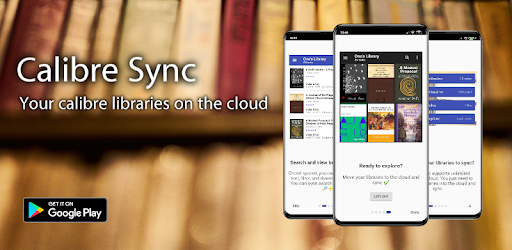
Calibre Sync: Your Gateway to Cloud-Based E-Book Management
Screenshots


Introduction
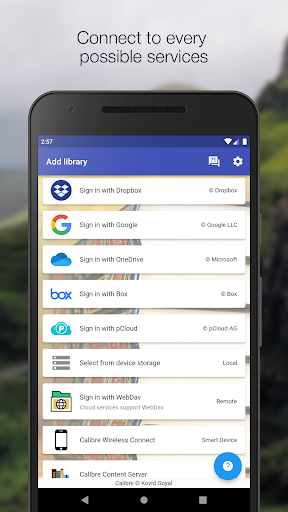
Calibre Sync is a powerful Android application developed by BIL studio, designed to streamline the management and access of your Calibre e-book libraries. As of version 6.9.1, this app allows users to effortlessly connect to various popular cloud services including Google Drive, Dropbox, Microsoft OneDrive, Box, pCloud, MEGA, WebDav, Nextcloud, and OwnCloud. With no subscription fees and lifetime support, Calibre Sync enhances your reading experience by transforming your device into a smart emulator that wirelessly connects to your Calibre libraries.
Graphics & Gameplay
The visuals of Calibre Sync are sleek and modern, presenting a user-friendly interface that is easy to navigate. The app showcases a variety of layouts for your library, including detailed lists, simple lists, grids, and a carousel view, making it visually appealing and functional. Each book cover is displayed prominently, allowing users to browse their collections with ease. The color scheme supports both dark and light themes, ensuring a comfortable reading experience in any lighting condition. Screenshots reveal a well-organized structure, with clear navigation options and intuitive controls, making accessing your e-books straightforward and enjoyable.
Key Features
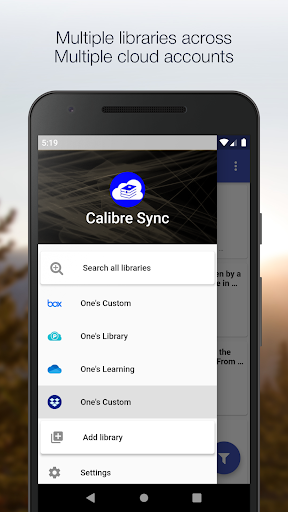
- Unlimited Libraries: Access and manage multiple Calibre libraries across various cloud services without restrictions.
- Wireless Connectivity: Connect to your Calibre library effortlessly as a smart device, eliminating the need for tedious manual transfers.
- Multiple Accounts: Switch seamlessly between different libraries across multiple accounts, including Google Drive, Dropbox, and more.
- Automatic Updates: The app checks and updates your libraries automatically upon launching, ensuring you always have the latest content.
- Versatile Book Lists: Choose from multiple layouts to view your library statistics, sort, and filter books by various criteria including title, author, and tags.
- Custom Columns Support: View and manage custom columns in book details, enhancing your organization capabilities.
- Download & Share: Easily download books and share them via email or other apps, providing flexibility in how you manage your reading materials.
- File Size Visibility: View the file size of each book format, helping you manage storage effectively.
- Swipe Navigation: Enjoy a smooth experience with the ability to swipe between books in the details view.
Mod Features
- Premium Unlocked: Experience all premium features without any charges, enhancing your library management experience.
- No Ads: Enjoy an uninterrupted browsing experience with the removal of all advertisements.
- Unlimited Money: Access unlimited resources allowing for seamless management of your libraries with no restrictions.
- Enhanced Cloud Sync: Optimize cloud synchronization for faster access to your e-books across all devices.
- Advanced Search Filters: Take advantage of improved search functionalities to locate books by various parameters effortlessly.
How to Install APK on Android
Installing Calibre Sync on your Android device is a straightforward process. Follow these steps to get started:
- Download the APK file from the official link: Calibre Sync APK.
- Before installation, ensure that your device settings allow the installation of apps from unknown sources. Navigate to Settings > Security > Unknown Sources and enable it.
- Locate the downloaded APK file on your device, usually found in the Downloads folder.
- Tap on the APK file to initiate the installation process.
- Follow the on-screen prompts to complete the installation.
- Once installed, open Calibre Sync, and start enjoying your e-book libraries from the cloud!
Conclusion
Calibre Sync is an essential app for avid readers looking to streamline their e-book management. With its robust features, seamless cloud integration, and user-friendly interface, it provides an unparalleled experience for accessing and managing your Calibre libraries. Whether you are a casual reader or a dedicated bibliophile, Calibre Sync offers the tools you need to enhance your reading journey.
Ready to take your e-book management to the next level? Download Calibre Sync today from the link below!