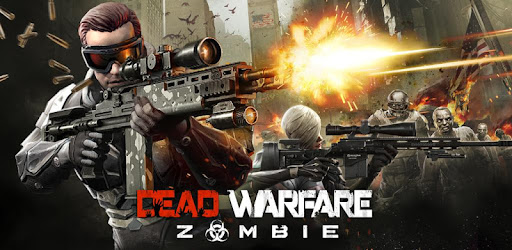
Dead Warfare: RPG Gun Games Review and Download Guide
Screenshots
Introduction
Dead Warfare: RPG Gun Games is an action-packed 3D multiplayer RPG shooter developed by VNGGames Studios. Set in a haunting post-apocalyptic world where humanity fights for survival against hordes of zombies, this game promises an exhilarating experience for players who thrive on adrenaline and strategy. As the story unfolds, players become Rangers—heroes with extraordinary powers—tasked with protecting the remnants of humanity. With its engaging storyline and dynamic gameplay, Dead Warfare invites you to immerse yourself in a relentless battle against the undead.
Graphics & Gameplay
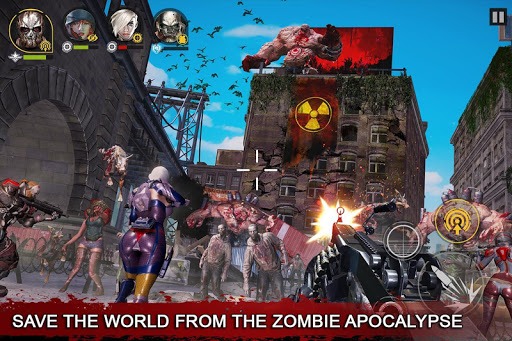
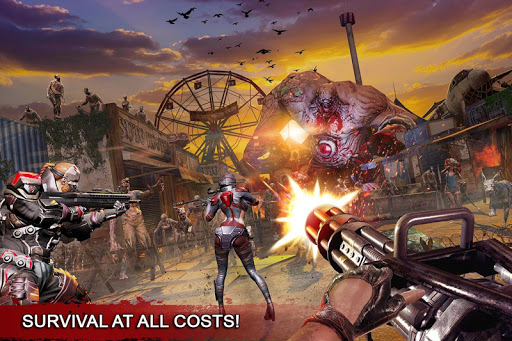
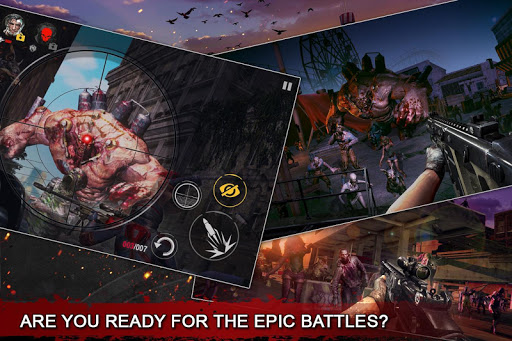
The graphics in Dead Warfare are striking, showcasing semi-realistic 3D visuals that enhance the dark survival theme. The character designs are detailed, and the environments are thoughtfully crafted, providing a gritty backdrop for intense combat. Screenshots reveal vibrant colors amidst the desolation, with characters wielding an array of futuristic weapons that stand out against the muted tones of the world. The animations are fluid, ensuring that every action—from shooting to reloading—feels immersive and responsive.
Gameplay revolves around a combination of solo missions and multiplayer options, allowing players to either tackle the campaign solo or join forces with friends for cooperative missions. The combat is fast-paced, requiring players to develop strategies while also adapting to the unpredictable nature of zombie hordes. The inclusion of a PvP mode adds another layer of excitement, challenging players to outsmart and outgun their opponents.
Key Features
- Interactive Multiplayer Gameplay: Engage in an epic story campaign, competitive PvP, and cooperative multiplayer modes. Challenge other players in survival arenas or team up to take down zombies for incredible rewards.
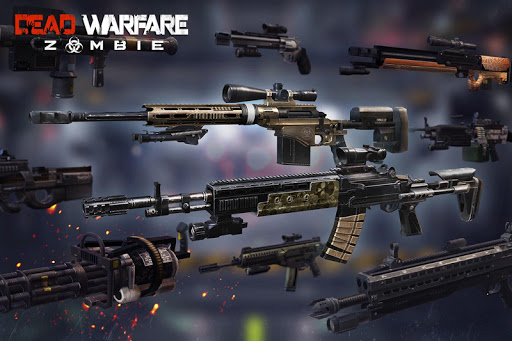
- Extensive Arsenal: Over 200 unique super futuristic guns are available, including pistols, assault rifles, sniper rifles, and more. Players can customize their weapons and armor sets to create a distinctive combat style.
- Daily Rewards: Complete interactive tasks daily to unlock new weapons and rewards. Engage with a daily card draw to win various prizes, including cards and gold.
- Leaderboards: Ascend the competition leaderboards and prove your skills as the best Ranger. Compete with other players worldwide and earn your place at the top.
- Rich Storyline: Experience a gripping narrative that unfolds as you progress through the game, offering depth and motivation to your survival efforts.
Mod Features
For players seeking an enhanced experience, mod features can significantly elevate gameplay. Here are some plausible mod features for Dead Warfare:
- Premium Unlocked: Gain access to all premium features and exclusive content without the need for in-game purchases.
- No Ads: Enjoy uninterrupted gameplay with all advertisements removed, allowing players to focus solely on the action.
- Unlimited Money: Start with unlimited in-game currency, enabling the purchase of powerful weapons and armor without grinding for resources.
- All Weapons Unlocked: Access all weapons from the outset, providing players with the tools needed to face the most challenging enemies right away.
- God Mode: Become invincible in battles, allowing you to explore the world and complete missions without the threat of dying.
How to Install APK on Android
Installing Dead Warfare: RPG Gun Games APK on your Android device is a straightforward process. Follow these steps to ensure a successful installation:
- Download the APK: Visit the official APK link provided and download the latest version of Dead Warfare: RPG Gun Games.
- Enable Unknown Sources: Go to your device settings, navigate to 'Security' or 'Privacy', and enable the 'Install from Unknown Sources' option. This allows you to install apps from sources other than the Google Play Store.
- Locate the APK File: Use a file manager app to find the downloaded APK file, usually in the 'Downloads' folder.
- Install the APK: Tap on the APK file to start the installation process. Follow the on-screen prompts to complete the installation.
- Launch the Game: Once installed, you can find the game icon on your home screen or app drawer. Tap to launch and start your adventure!
Conclusion
Dead Warfare: RPG Gun Games offers an engaging blend of action, strategy, and multiplayer fun in a captivating post-apocalyptic setting. With its impressive graphics, extensive weaponry, and interactive gameplay, it caters to both casual gamers and hardcore enthusiasts. Whether you're battling zombies solo or teaming up with friends, the game promises an exhilarating experience. Don't miss out on this thrilling RPG shooter—download Dead Warfare today!