Screenshots
Introduction
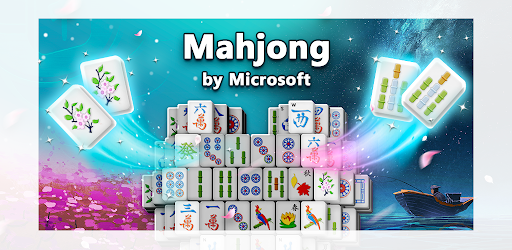
Mahjong by Microsoft is an engaging mobile game that brings the classic tile-matching puzzle to your Android device. Developed by Microsoft Corporation, this game offers a serene escape into the world of Mahjong, where players can enjoy hundreds of tile-matching puzzles designed to challenge their strategy, memory, and skill. With a tranquil ambiance, beautiful backgrounds, and soothing sounds, Mahjong by Microsoft allows players to immerse themselves in a peaceful gaming experience while earning points and unlocking new features. Whether you are a seasoned Mahjong player or a newcomer to the game, this app caters to all skill levels, making it an excellent choice for casual gaming.
Graphics & Gameplay
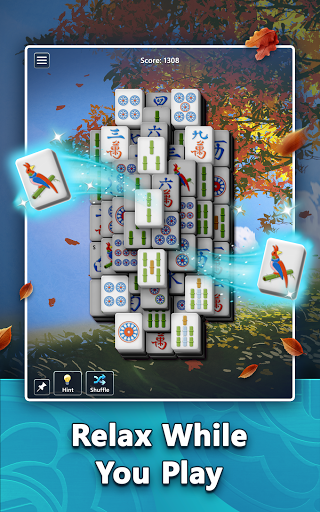
The visual presentation of Mahjong by Microsoft is nothing short of stunning. The game features a variety of gorgeous backgrounds that set the mood for relaxation and concentration. Players can choose from different themes that complement the tile sets, enhancing the overall aesthetic experience. Each tile is beautifully designed with intricate patterns, making the gameplay visually appealing.
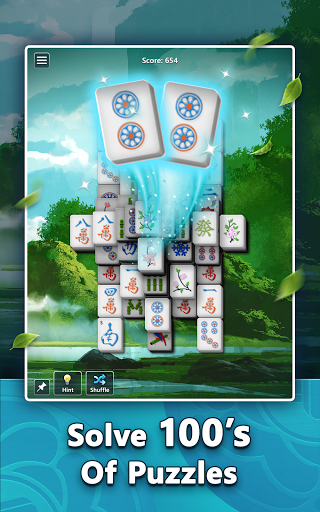
In terms of gameplay, Mahjong by Microsoft offers a user-friendly interface that makes it easy to navigate through puzzles. The tiles are clearly visible, and the touch controls are responsive, allowing players to match tiles with ease. As you progress through the game, you will encounter different difficulty levels, which keeps the gameplay fresh and challenging. The relaxing sounds add to the immersive experience, making it a perfect way to unwind after a long day.
Key Features
- Hundreds of Puzzles: The game offers a vast library of tile-matching puzzles, providing hours of gameplay.
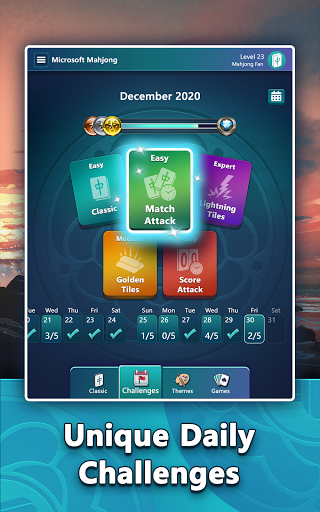
- Daily Challenges: Players can enjoy five unique challenges every day, ranging from Classic Challenges to Lightning Tiles, pushing their skills to the limit.
- Achievements: Earn points and collect achievements as you solve puzzles. Complete challenges to earn badges, including Bronze, Silver, Gold, Diamond, and Perfect Badges.
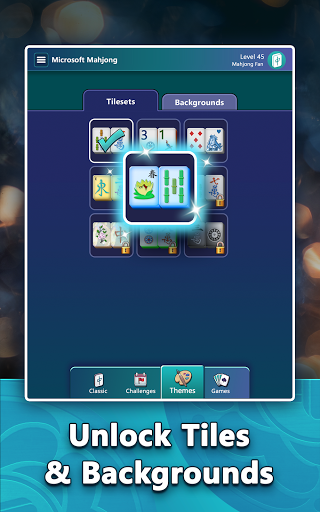
- Customization: Personalize your game board with new tile sets and backgrounds as you level up. Bookmark your favorite puzzles for easy access.
- Hints and Shuffle: Use hints or shuffle tiles to aid your gameplay when you find yourself stuck.
- Difficulty Levels: Choose a higher level of difficulty to earn more points and enhance your challenge.
- Cross-Platform Play: Sign in with a Microsoft account to save your progress and play across multiple devices.
Mod Features
While Mahjong by Microsoft is free to play, some users may seek additional features to enhance their gaming experience. Here are some plausible mod features that could be attractive:
- Premium Unlocked: Enjoy all features of the game without the need for in-app purchases, giving you instant access to exclusive tile sets and backgrounds.
- No Ads: Play without interruptions from ads, allowing for a seamless and immersive gaming experience.
- Unlimited Hints: Gain access to unlimited hints to help you solve puzzles whenever you encounter a challenging level.
- Infinite Points: Earn unlimited points as you play, allowing you to achieve high scores and unlock all achievements effortlessly.
- Customizable Themes: Unlock a variety of special themes and backgrounds that are not available in the original game, allowing for a more personalized gaming experience.
How to Install APK on Android
Installing the Mahjong by Microsoft APK on your Android device is straightforward. Follow these steps to get started:
- Enable Unknown Sources: Go to your device's settings, navigate to 'Security,' and enable 'Unknown Sources' to allow installations from sources other than the Google Play Store.
- Download the APK: Visit the official link provided or search for the Mahjong by Microsoft APK file from a trusted source.
- Locate the APK: Once downloaded, open your file manager and navigate to your downloads folder to find the APK file.
- Install the APK: Tap on the APK file to begin the installation process. Follow the on-screen instructions to complete the installation.
- Launch the Game: Once installed, locate Mahjong by Microsoft in your app drawer and tap to launch the game.
Conclusion and Call to Action
Mahjong by Microsoft is an excellent addition to the mobile gaming landscape, combining beautiful graphics, engaging gameplay, and a relaxing atmosphere that appeals to players of all ages. With a variety of puzzles, daily challenges, and customization options available, it offers endless entertainment for fans of tile-matching games.
If you're ready to dive into the serene world of Mahjong, click the link below to download the game and start your journey today!