Screenshots
Introduction
Touch Macro Pro - Auto Clicker is a powerful automation tool designed for Android devices, developed by jake77. This application is a game-changer for users who find themselves bogged down by repetitive tasks that consume valuable time and energy. With its intuitive interface and robust functionality, Touch Macro Pro allows users to automate virtually any routine task, making it an indispensable tool for efficiency enthusiasts and gamers alike.
With the latest version 3.8.4, users can unlock a suite of features that streamline complex operations, helping to free up time for more important activities. Whether you're looking to automate mundane tasks or enhance your gaming experience, Touch Macro Pro is here to help.
Graphics & Gameplay
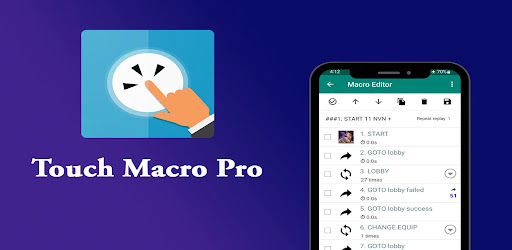
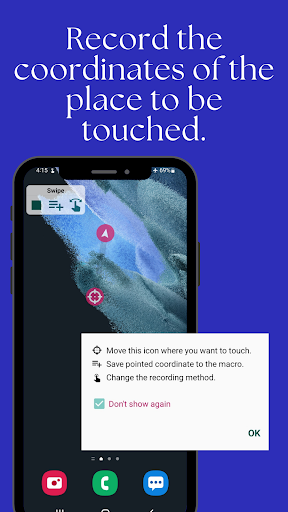
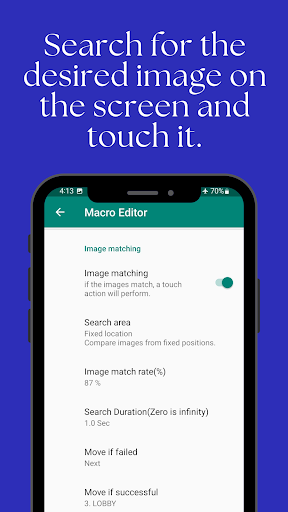
The visual design of Touch Macro Pro is sleek and user-friendly, making it easy for users of all skill levels to navigate its features. The app showcases a clean interface that prominently displays options for creating and managing macros. The screenshots reveal a modern layout with a vibrant color palette, ensuring that important buttons and features stand out clearly.
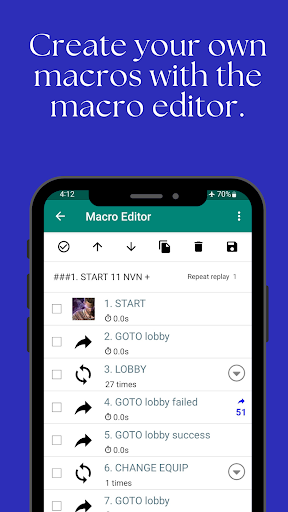
Elements such as the macro editor are visually intuitive, with icons and text that guide users through the process of setting up automation. The image recognition feature is also visually represented, illustrating how the app identifies and interacts with on-screen elements. Overall, the graphics of Touch Macro Pro enhance the user experience by making automation accessible and straightforward.
Key Features
- Automate Complex Tasks: Easily program intricate macros that execute multiple actions in a sequence, significantly reducing manual input.
- Rapid Clicking: Set up auto-clicking macros for fast tapping on specific screen elements, ideal for gaming or repetitive app interactions.
- Image Recognition: Leverage advanced image recognition technology to find and interact with specific images on your screen, which enhances the accuracy of automated tasks.
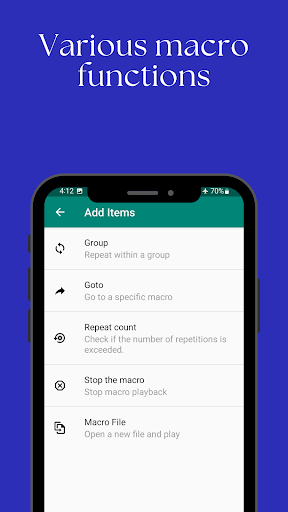
- Group Repetition: Create loops that allow macros to perform a series of actions multiple times, streamlining tasks that require repetition.
- Text Recognition: Develop macros that can automatically take action based on recognized text content, allowing for a more dynamic interaction with applications.
- Intuitive Macro Editor: A user-friendly editor that simplifies the process of creating and modifying macros, providing a seamless experience for users.
- Accessibility Service: Utilizes accessibility services for touch and gesture automation, ensuring compatibility with a wide range of Android devices.
Mod Features
- Premium Unlocked: Gain access to all premium features without any additional cost, allowing users to fully utilize the app's capabilities.
- No Ads: Enjoy an uninterrupted experience with the removal of all advertisements, enhancing usability and focus.
- Unlimited Money: If applicable, this feature could provide users with unlimited in-app currency for applications that support it, making macro automation even more potent.
- Custom Themes: Ability to change the app's appearance with various themes, allowing users to personalize their interface according to their preferences.
- Enhanced Performance: Improved speed and efficiency in executing macros, ensuring tasks are completed faster than ever.
How to Install APK on Android
Installing the Touch Macro Pro APK on your Android device is a straightforward process. Follow the steps below to get started:
- Go to the official download page for Touch Macro Pro: Download Touch Macro Pro.
- Before downloading, ensure your device allows installations from unknown sources. To do this, go to Settings > Security, and enable Unknown Sources.
- Download the APK file from the provided link.
- Once the download is complete, navigate to your Downloads folder and tap the APK file to begin the installation.
- Follow the on-screen prompts to complete the installation process.
- After installation, open the app and grant the necessary permissions, particularly for accessibility service, to enable all features.
Call to Action
Ready to revolutionize your Android experience? Download Touch Macro Pro - Auto Clicker now and unlock the power of automation on your device! Click the link below to get started: